PSP
PSPMANcommunity
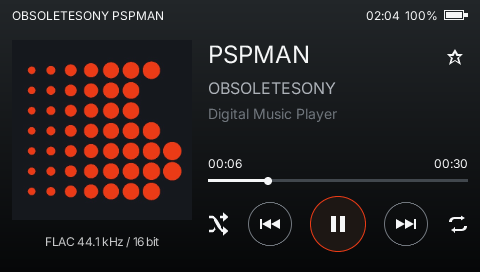
A Walkman-inspired music player. Local FLAC, MP3, album art, and cassette mode. By ObsoleteSony. Public alpha; source currently private.
How to try PSPMANProject & image credit ↗Build apps for your favorite devices, from a PSP to your desktop. Familiar JavaScript components, brought to life by a compact native runtime.
Drag the shell to rotate. Drag the lower screen to scroll, or use the arrow keys.
Drag to inspect the shell, rear touch pad, cameras and ports.
Start with the components you know. Write in Solid, Vue Vapor or Octane. All three run on QuickJS and render to the same native tree, with layout and drawing handled by Rust.
import { createSignal, Show } from "solid-js";
import { Text, View } from "@pocketjs/framework/solid/components";

export default function App() {
  const [count, setCount] = createSignal(0);
  return (
    <View class="w-full h-full flex-col items-center gap-4 p-4 bg-slate-50">
      <Text class="text-xl text-slate-950 font-bold">Count: {count()}</Text>
      <View class="px-4 py-2 rounded-xl shadow-md bg-blue-600 focus:bg-blue-500"
        focusable onPress={() => setCount(count() + 1)}>
        <Text class="text-base text-white font-bold">Press Circle</Text>
      </View>
      <Show when={count() > 3}>
        <Text class="text-sm text-emerald-600">Reactive on real hardware.</Text>
      </Show>
    </View>
  );
}
import { ref } from "vue";
import { Text, View } from "@pocketjs/framework/vue-vapor/components";

export default function App() {
  const count = ref(0);
  return () => (
    <View class="w-full h-full flex-col items-center gap-4 p-4 bg-slate-50">
      <Text class="text-xl text-slate-950 font-bold">Count: {count.value}</Text>
      <View class="px-4 py-2 rounded-xl shadow-md bg-blue-600 focus:bg-blue-500"
        focusable onPress={() => { count.value++; }}>
        <Text class="text-base text-white font-bold">Press Circle</Text>
      </View>
      {count.value > 3 ? (
        <Text class="text-sm text-emerald-600">Reactive on real hardware.</Text>
      ) : null}
    </View>
  );
}
import { useState } from "octane";
import { Text, View } from "@pocketjs/framework/octane/components";

export default function App() {
  const [count, setCount] = useState(0);
  return (
    <View class="w-full h-full flex-col items-center gap-4 p-4 bg-slate-50">
      <Text class="text-xl text-slate-950 font-bold">{`Count: ${count}`}</Text>
      <View class="px-4 py-2 rounded-xl shadow-md bg-blue-600 focus:bg-blue-500"
        focusable onPress={() => setCount(count + 1)}>
        <Text class="text-base text-white font-bold">Press Circle</Text>
      </View>
      {count > 3 ? (
        <Text class="text-sm text-emerald-600">Reactive on real hardware.</Text>
      ) : null}
    </View>
  );
}
$ pocket create my-app
$ pocket check --target psp
ok 480x272 · text.glyphs.baked · input.buttons
$ pocket check --target vita
ok same bundle, density 2, no component edited
Give your interface motion that feels at home on a handheld. Keyframe timelines and spring curves compile at build time and run on the Rust core's clock, with no per-frame JavaScript needed. Try the yui540 motion studies here, running in WebAssembly inside an interactive PSP model.
A small screen can hold a complete app. Your JavaScript runs on QuickJS, while a Rust core handles layout and drawing without a browser engine. Here is what that costs on a 333 MHz PSP and a Mac.
The PSP app shown here runs in 8 MB on a single 333 MHz core: a quarter of the handheld's RAM and 1/1536 of the iPhone's memory above. The phone's performance core is clocked about 13 times higher.
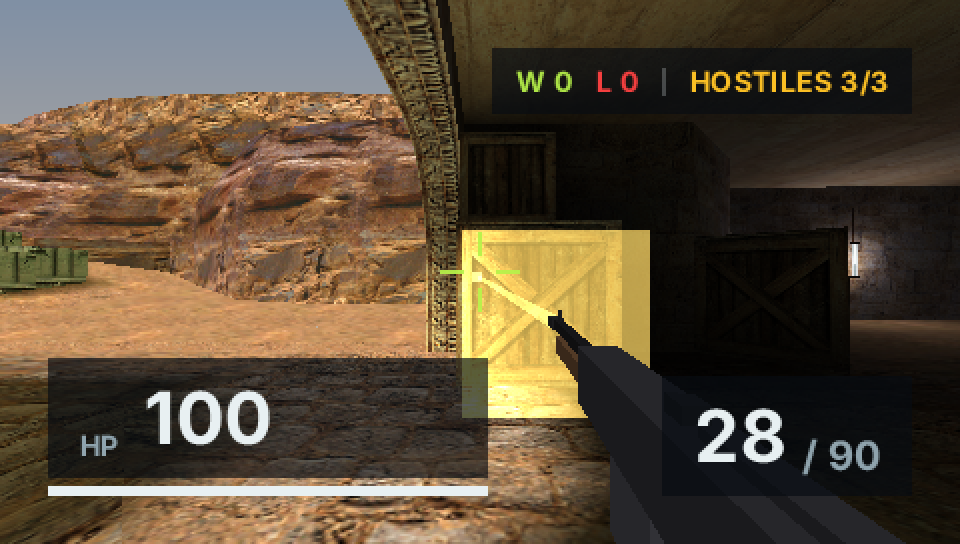
That budget holds OpenStrike: a bot-populated BSP map with a Solid JSX HUD, running at 60 fps on hardware from 2004.
In this comparison, classic Vue's virtual DOM takes about six times the frame time of Solid for the same screen. Solid stays within the 16.67 ms frame budget; Vue Vapor is close to it.
Seven samples per framework, with a 16.67 ms frame budget. This is a later run with an updated toolchain; compare frameworks within each chart.
The PocketJS, Tauri and Electron builds occupy 10, 9 and 242 MB on disk. The PocketJS build uses one process and, with an idle document open, redraws about twice a second for the blinking caret. The report covers the tradeoffs as well as the gains.
Reproduce a bug, replay an interaction, or try a different input. PocketJS advances your app
one frame(buttons) call at a time, with timing measured in frames. Tests can replay the
same sequence as fast as the CPU allows, without waiting for real time to pass.
A reply that arrives during frame +3 is queued and delivered at the start of frame +4, in FIFO order, before app hooks run. Callbacks enter between frames, and after() schedules work against a frame deadline.
Same app, same awaited confirmation, same assertion. Driven by requestAnimationFrame against a wall clock it lands on 22 different frames, and the timing assertion passes 9 times out of 60. On the frame clock it lands on frame 144 in every run. The frame clock makes this timing assertion reproducible.
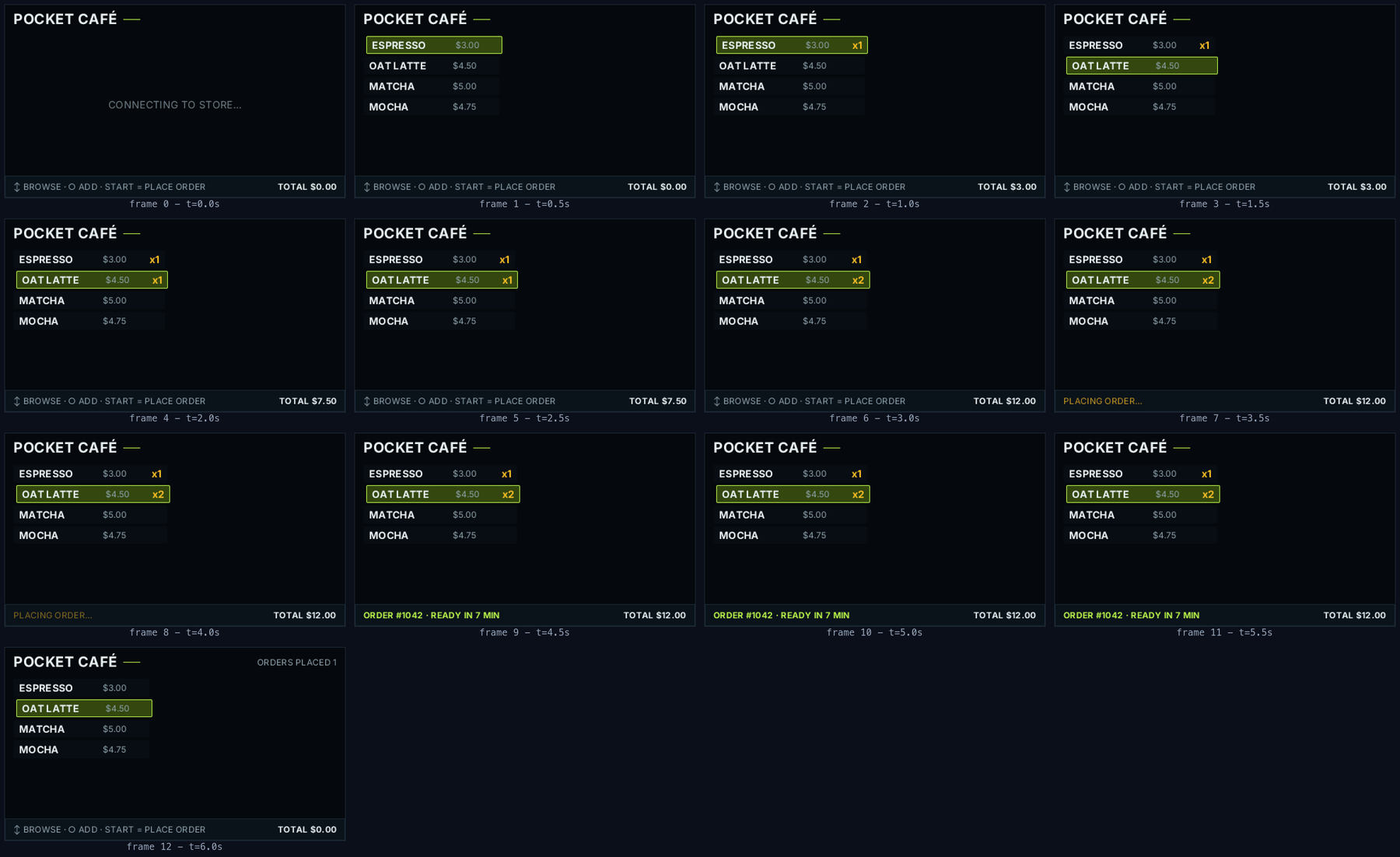
SUBSAMPLED · a whole session in 13 frames at 2 Hz, byte-identical to its counterpart in the 390-frame 60 Hz run.
Change a button press at frame 9 and replay the recording to explore a different outcome. This example takes 22 ms. In chaos mode, injected delays, allocation churn and forced garbage collection between frames leave the recorded trace unchanged.
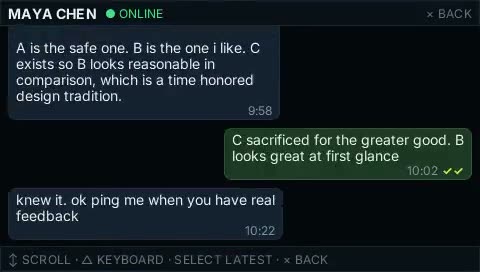
Make a chat app, a desktop companion, or a world to explore. Apps and games share the same runtime, with native modules for the features each project needs.
 Pocket3D
Full 3D lives in its own project: a renderer for each console's GPU, with the interface drawn by PocketJS.
3d.pocket.nexus
Pocket3D
Full 3D lives in its own project: a renderer for each console's GPU, with the interface drawn by PocketJS.
3d.pocket.nexus
Choose the native modules your project needs, such as networking, audio, or 3D. Unused modules stay out of the build. Your JavaScript uses them alongside the same UI and input APIs.
Bring a new project to a familiar device. These platforms use a shared runtime with a native host for each target. Follow the links for the porting stories and implementation details. Device programs and their build instructions are maintained in the PocketJS repository.
A music player for a PSP. A workspace on a 3DS. A game you can take with you. Explore what people are making, find something to try, or get an idea for your own project.
A Walkman-inspired music player. Local FLAC, MP3, album art, and cassette mode. By ObsoleteSony. Public alpha; source currently private.
How to try PSPMANProject & image credit ↗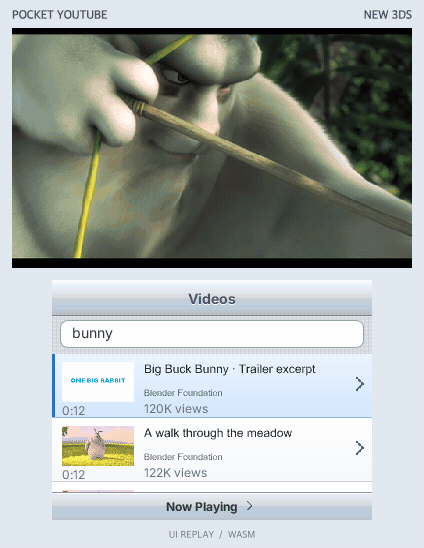
Watch on the upper screen while searching and browsing on the touch screen. A Mac companion streams video to the 3DS over Wi-Fi; PSP and PS Vita builds are available too.
Read the story →How to try Pocket YouTube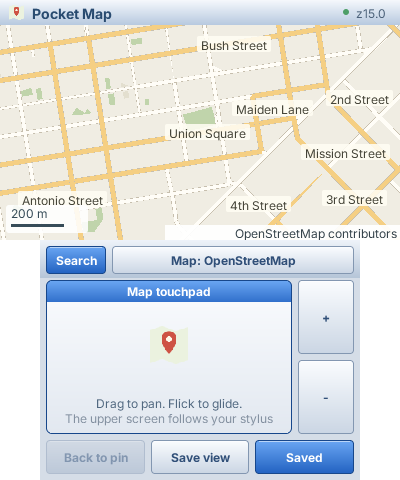
Browse OpenStreetMap or Hyrule on a handheld. Pan with the touchpad, zoom, search and save places through a paired Mac.
How to try Pocket MapProject & capture details ↗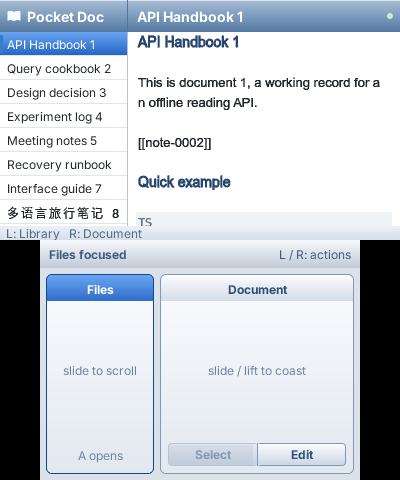
Your Markdown library on two screens. Read above, edit and navigate below.
How to try Pocket DocProject & capture details ↗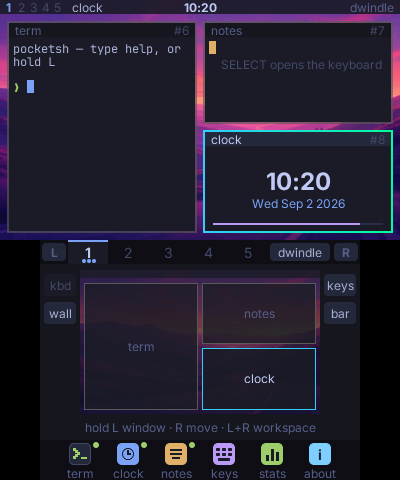
A tiling interface on the 3DS. Windows on top, a workspace and control deck below.
How to try Pocket ShellProject & capture details ↗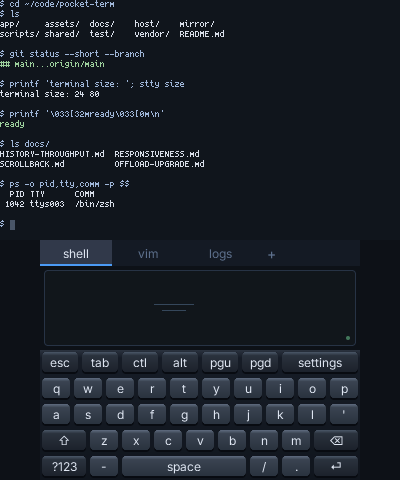
A terminal in your hands. Mac shell sessions above a touch keyboard on the 3DS.
How to try Pocket TermProject & capture details ↗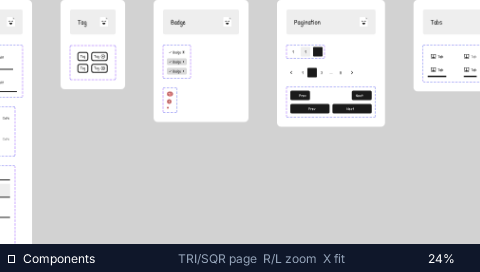
A real 14,430-node design file, cooked into streamed tile pyramids and panned with the analog nub at 60 fps on a handheld with 32 MB of RAM.
Read the story →How to try Pocket Figma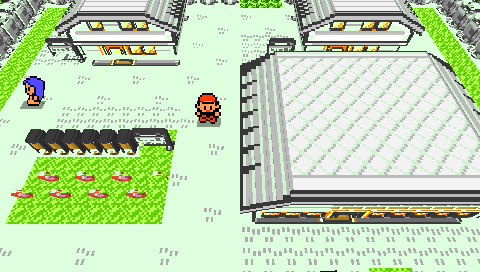
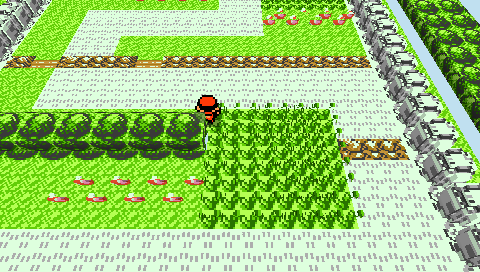
A creature-RPG town rebuilt as a walking voxel diorama. Game state lives in the JS guest; logic runs at 60 Hz while presentation holds a locked 30 fps beat, two ticks per presented frame.
Read the story →How to try Pocket Voxel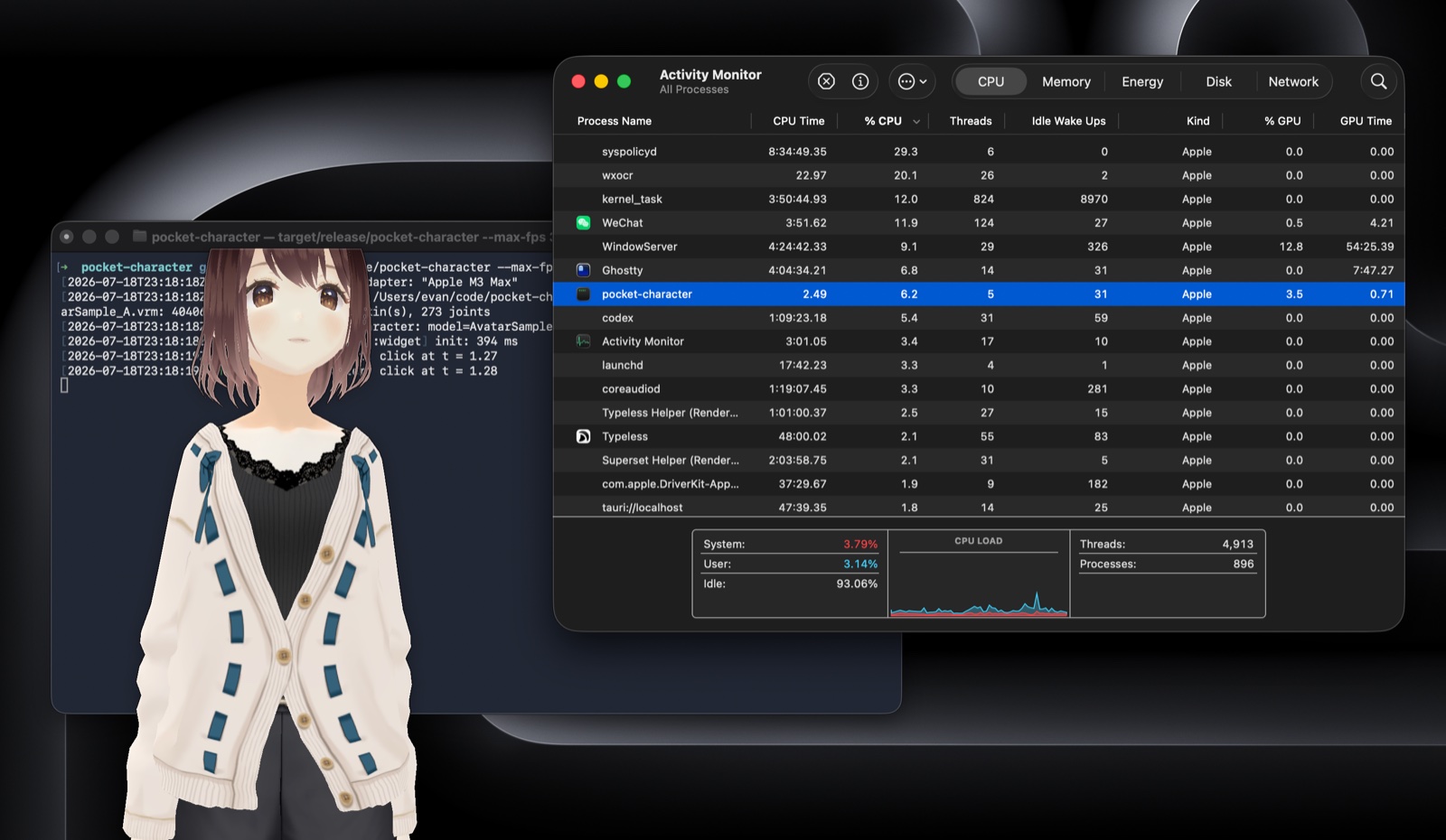
A rigged VRM companion in a transparent always-on-top window, rendering skinned 3D at 60 fps in one process and 118 MB. The Electron build of the same idea takes 8 processes and 2184 MB.
Read the story →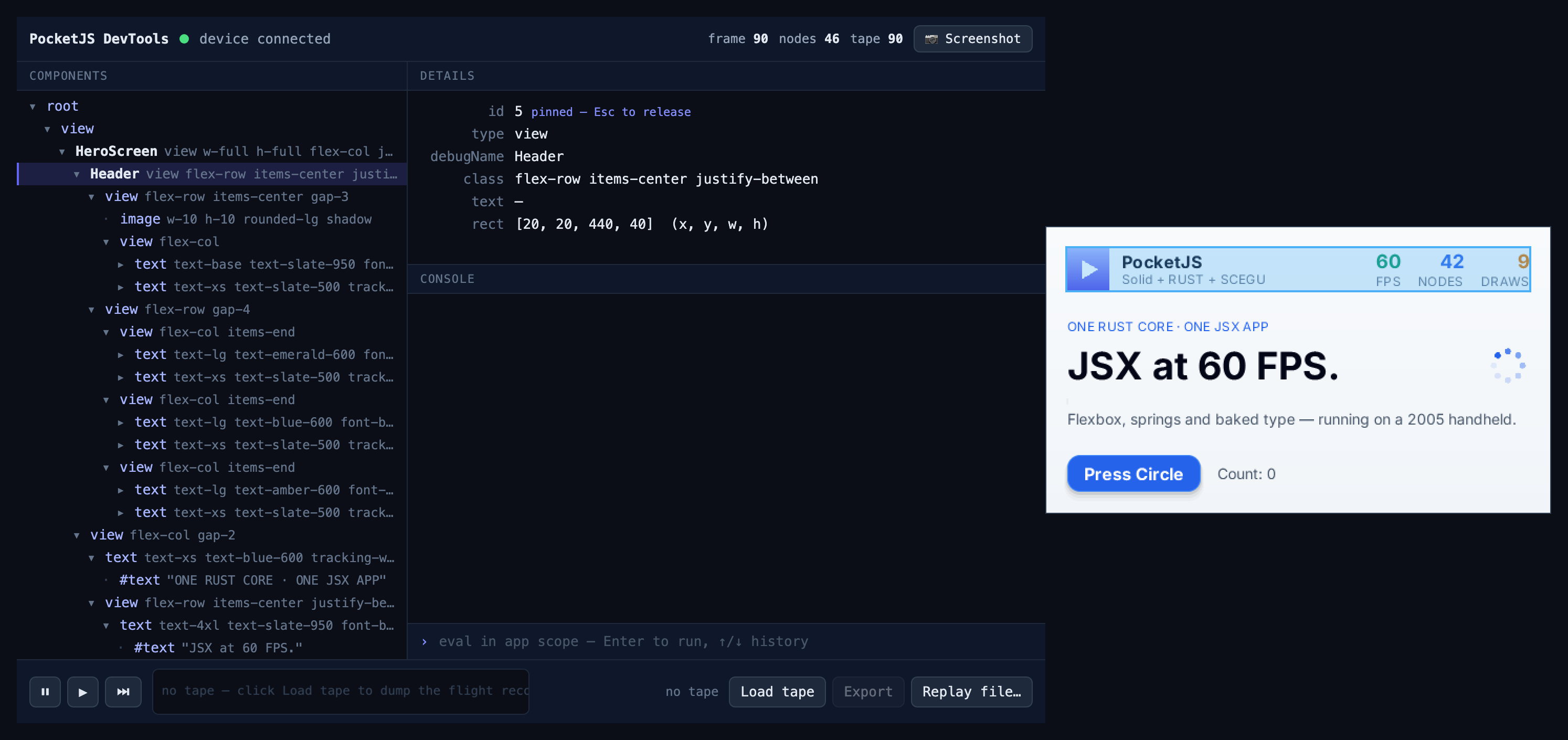
Time-travel debugging over a USB cable at 2 bytes per frame. The inspector highlight is emitted by the core into the DrawList, so it renders on the real device, on every backend.
Read the story →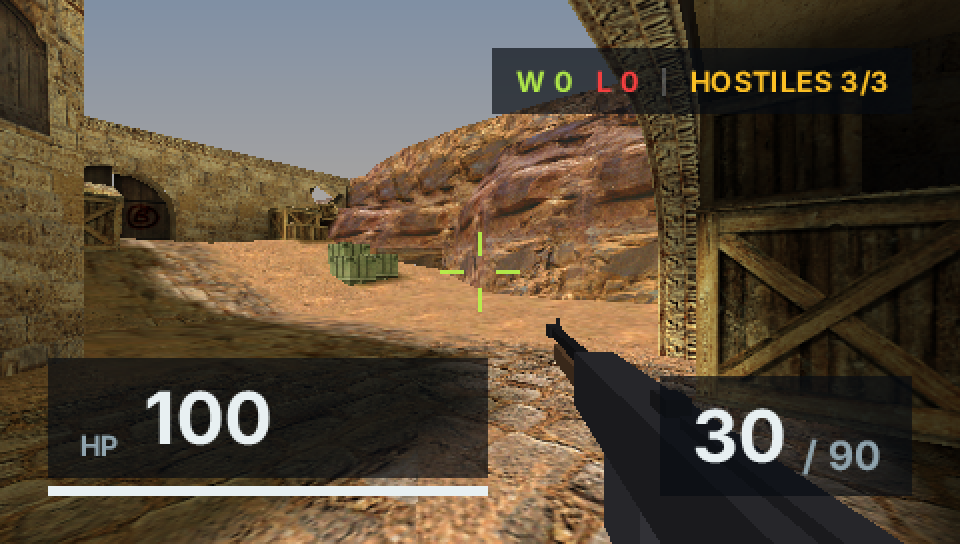
A Counter-Strike-shaped shooter on 2004 hardware: BSP maps, bots, and a HUD written in Solid JSX. 60 fps, with 2.2 ms of JavaScript per frame and a worst observed frame of 9.7 ms.
Read the story →How to try OpenStrikeWhat people are saying about PocketJS and the things being made with it.
 Obsolete Sony@ObsoleteSony
PSPMAN went from being built with PocketJS to helping uncover edge cases that make PocketJS better for everyone. Love to see it.
 Charlie@chardidathing
love the work PocketJS are doing, I think lowering the bar of entry for development on these devices is sick!
 Evan You@evanyou
Full circle moment 🫡
 Planète Vita@PlaneteVITA
We should talk about your awesome project on our website.
 pewtergui@jasjamjos
Crazy! the possibilities are endless for pre-2010 multiplayer games
 catto@catto34_
I love what you guys are doing
 PabloW@pablowasserman
I love this. Old hardware, new software.
Me encanta esto. Hardware viejo, software nuevo.
 Wang Jack@WangJack845358
This project really is a miracle!!
这个项目的确是个奇迹!!
 Buto@ChibiButo
Impressive!
 J.R. DeJesus@Jok3r0314
Awesome!!!!
 TJ (thaddeus jiang)@ThaddeusJiang
I've been following it for a while, and I'm sure PocketJS is the JS project I've been most excited about since Bun.
看了有一段时间了,我确定 PocketJS 是近几年 bun 之后我最期待的 JS 项目。
 Eric Xu (e/Mettā)@xleaps
Yes, I could see the potential from the first glance. The combination of technologies makes a lot of sense, too.
Yes, 从第一眼看到就感受到这是个很有潜力的项目,技术栈的组合也非常合理。
 Connor/코너/コナー@OreXda
How so smooooth
 César@CesarTejeda92
640Kb ought to be enough for anybody. /s
 Audiofile@weareaudiofile
A PSP helping improve CJK text loading in 2026. I love that.
 Navy@NavyBarca
Insane, people like you used to rule the gaming industry
 Dak@dakdevs
Just saw @ewind_dev present this at the SF meetup. Everyone in the room was floored. Then he brought out something even more fascinating 👀👀
We can build PocketJS full-time thanks to your support. Help bring more ideas to more screens.